The reseller portal
If you sell or install GridGenie, you manage all your installations from one portal. See how every box is doing, help your customer remotely and know who did what and when. No site visits, and no passwords going back and forth.
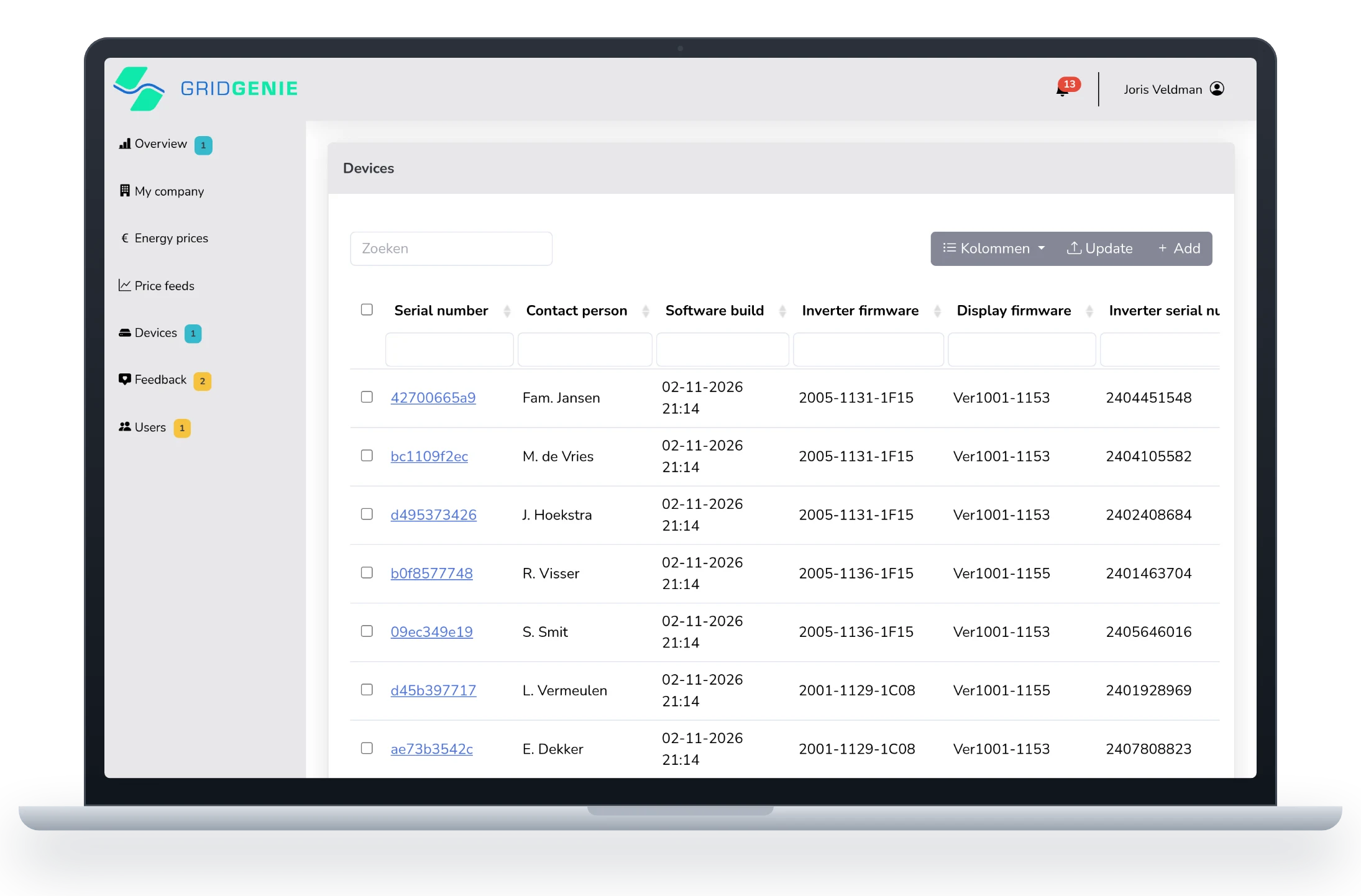
All screenshots on this page were made with made-up companies, customers and boxes.
Your own environment.
Your own customers.
Every partner works in a separate, shielded environment. You see the boxes you sold or installed, and nothing that belongs to someone else. You add your colleagues yourself.
- Overview of all your installations on a map, with how many are online and in use
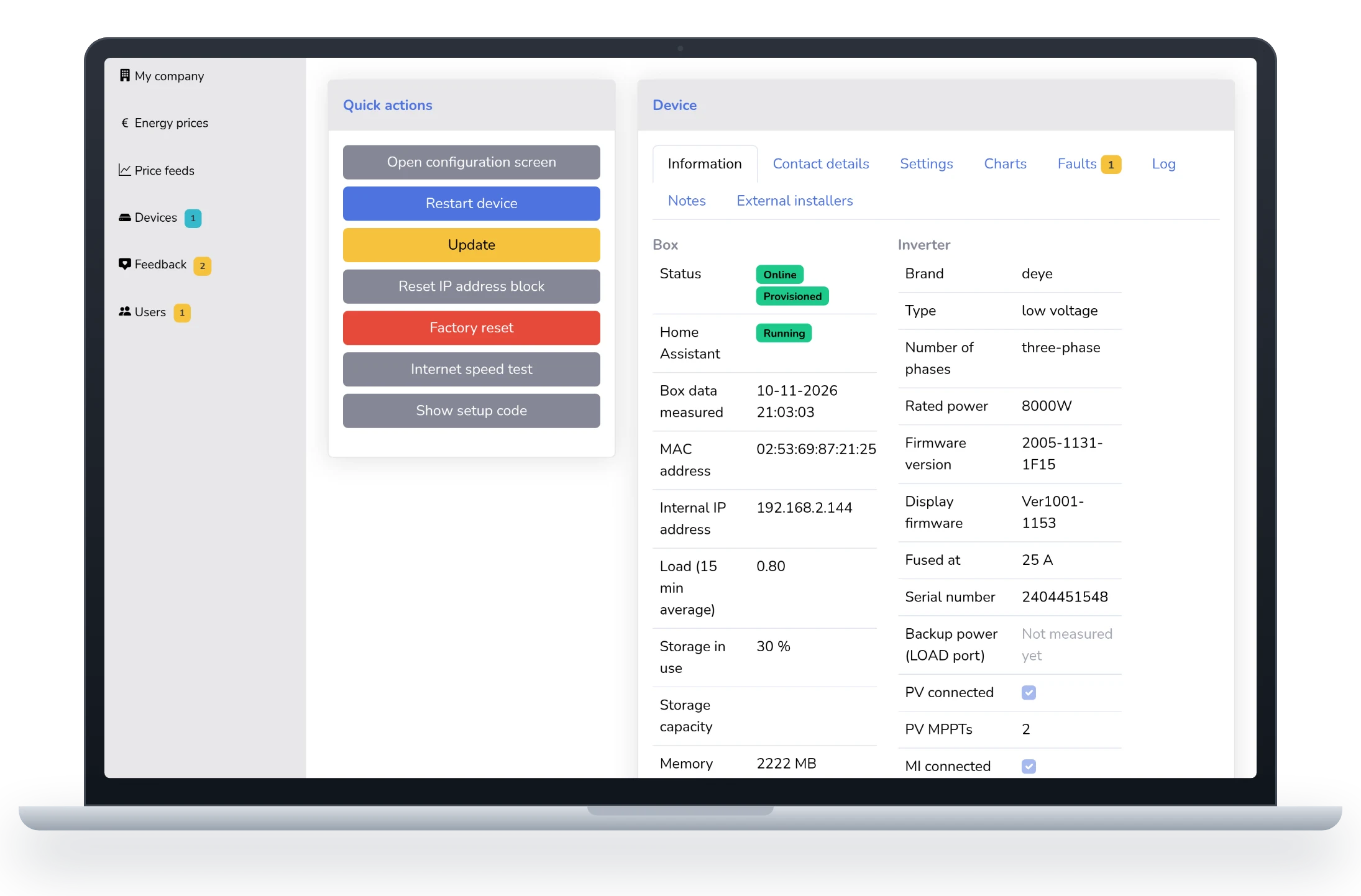
- Per box the state of the box, the inverter and the battery, the software and the firmware
- Search and filter by customer, town, software or status, with the columns you want to see
- Users for your own team: they get an invitation by e-mail and choose their own password
- On your phone too, for when you are standing at a customer’s meter cupboard
Look along in one click.
No passwords.
When a customer calls with a question, you open their app from the portal and see what they see. You never need to know or ask for a password: the portal arranges access, and that access expires by itself.
- Look along in the app of your customer, if they allowed it during installation
- Temporary access: it ends after a set time, and immediately when you sign out
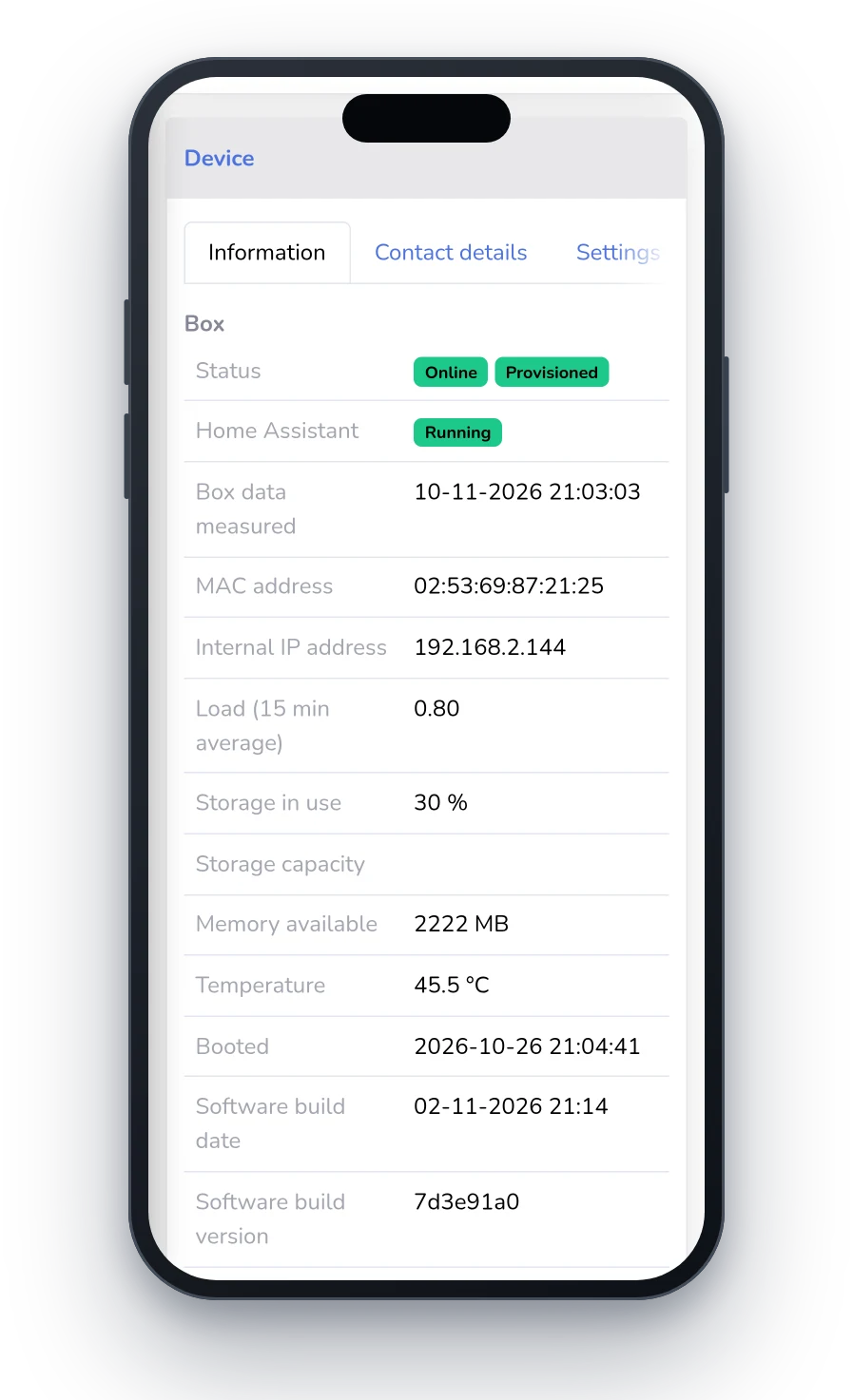
- Remote configuration screen, without typing over the setup code
- Quick actions: restart, update, an internet speed test
- Notes per box, so your colleague knows what has already been tried
Know what went wrong.
Even last week.
An inverter does not keep its faults: once a fault is over, it is gone. The box does keep them. In the portal you see per box which fault appeared, when it was over, and what you can do about it.
- Fault code and description in plain language, not just a number
- Advice per fault: where to look before you get in the van
- Open faults at a glance, in red when it is serious
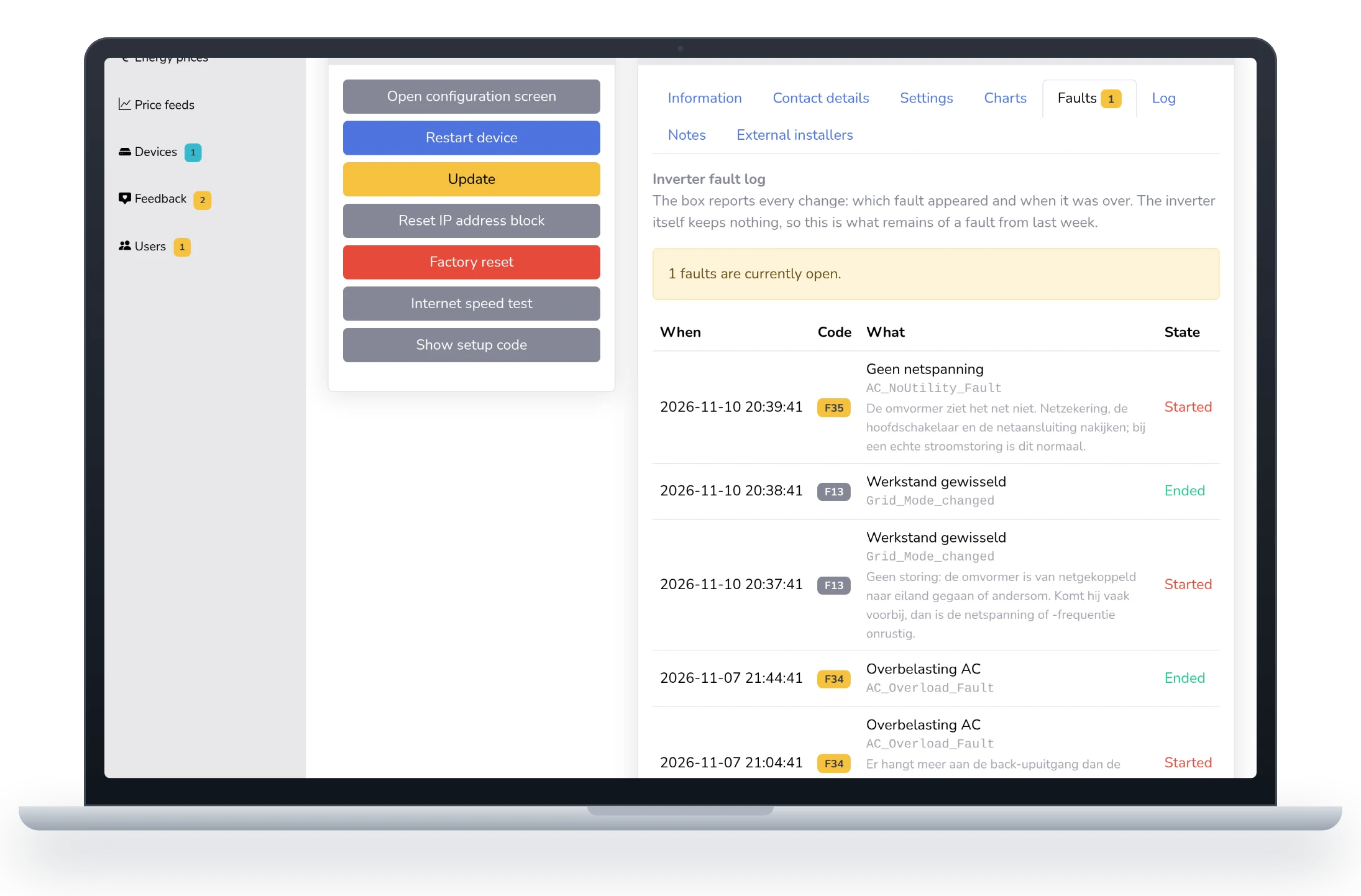
The descriptions and advice are currently written in Dutch.
Working together on
the same installation.
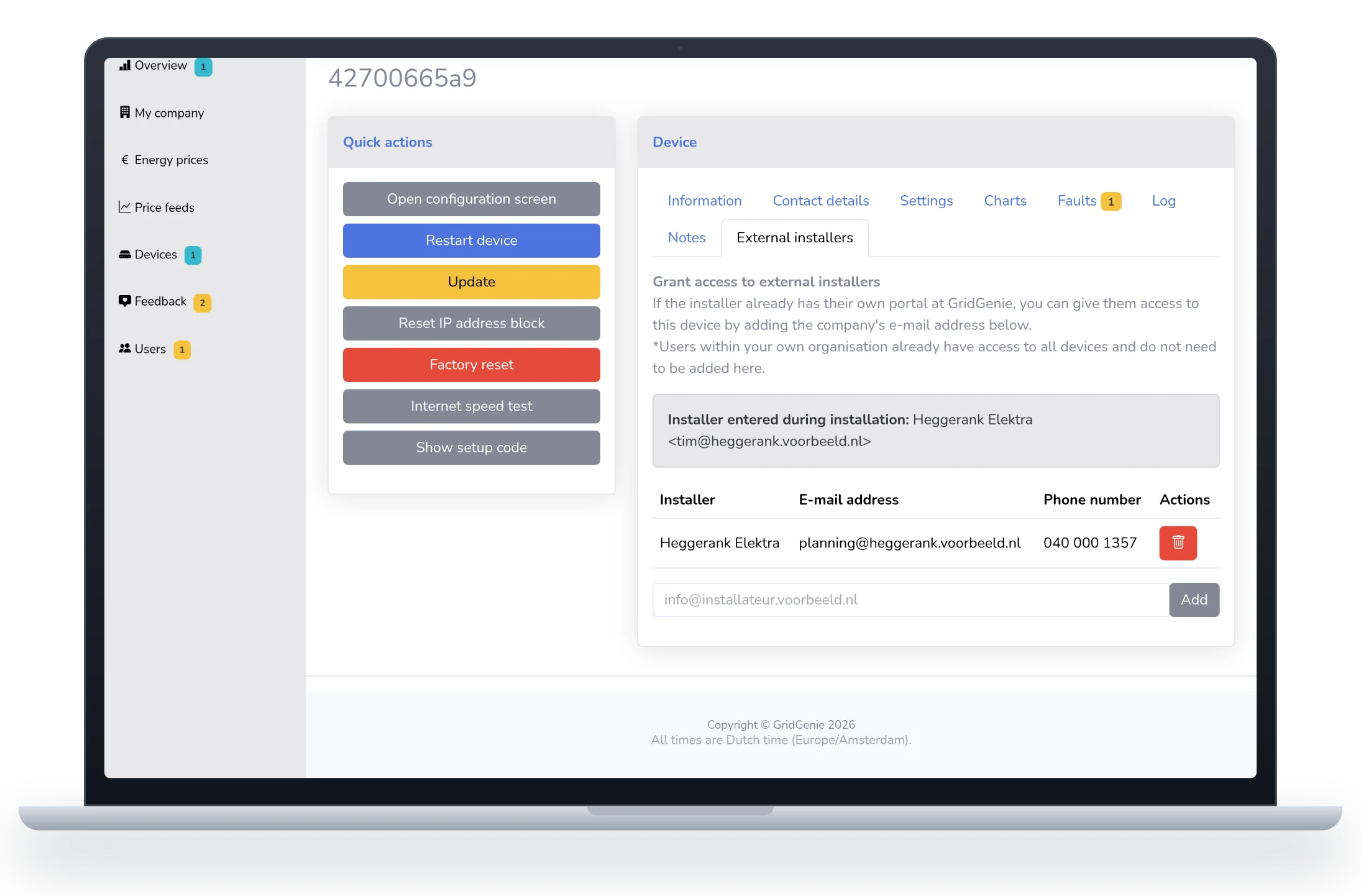
When a distributor sells the box and an installer connects it, both can get to it. The box belongs to the seller; installers are linked to it, each with their own account.
- Linked automatically: when the installer enters their e-mail address during installation, the box shows up in their portal
- By hand: add an installer to a box, or unlink them again
- No account needed to start: an installer without a portal stays visible, and joins as soon as they have one
New software.
No hassle for your customers.
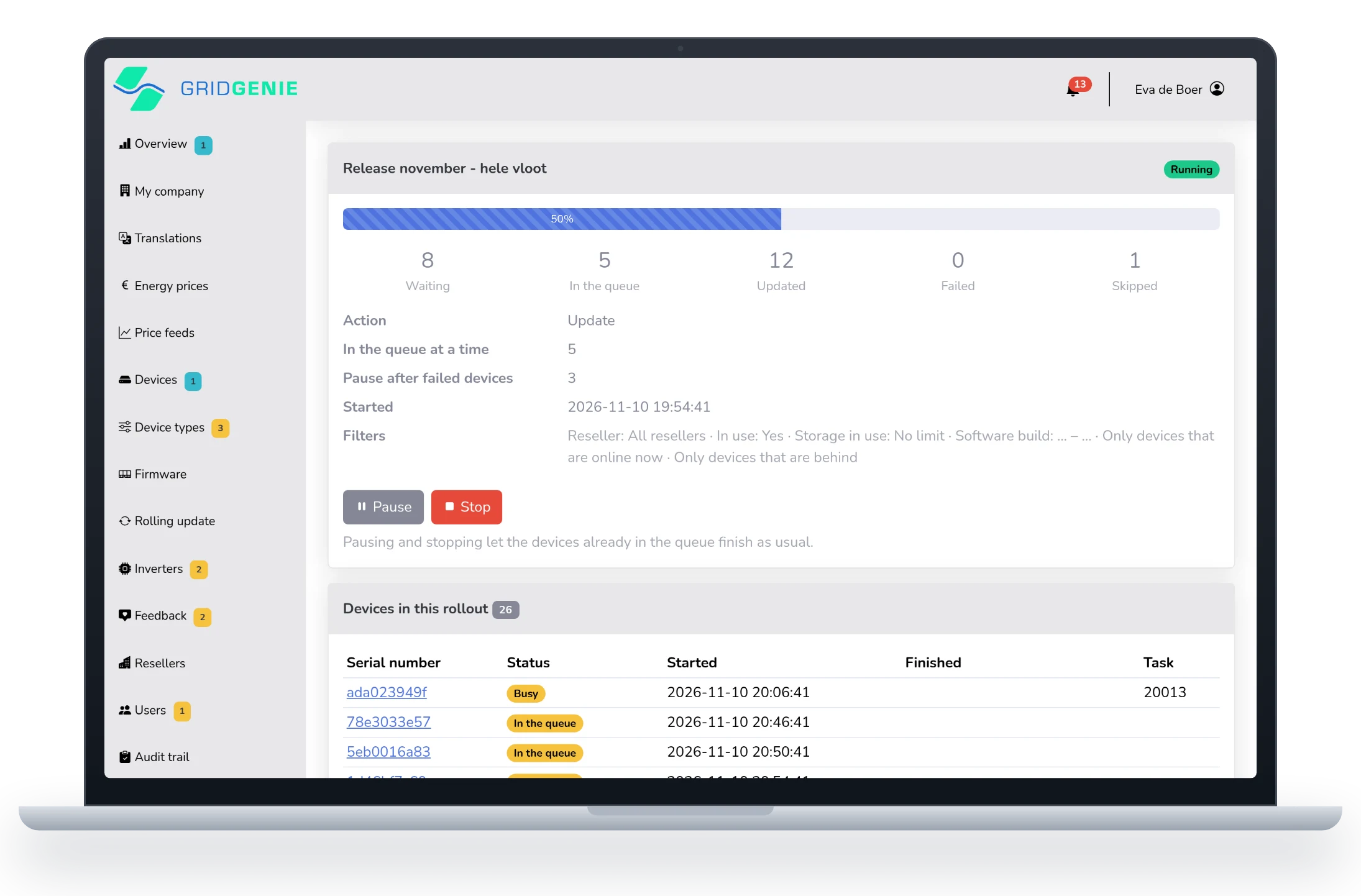
We roll out new features and improvements across all installations. Not in one go, but in small rounds, so a problem stays with a few boxes instead of all of them.
- Small rounds: a few boxes at a time, the next ones only when those are done
- Automatic pause when too many fail, so someone looks first
- Offline boxes wait until they are back instead of failing
- Your work comes first: an update you start for a customer does not queue behind the whole fleet
- Custom installation? It can be kept out of the updates
Feedback and notifications
in one place.
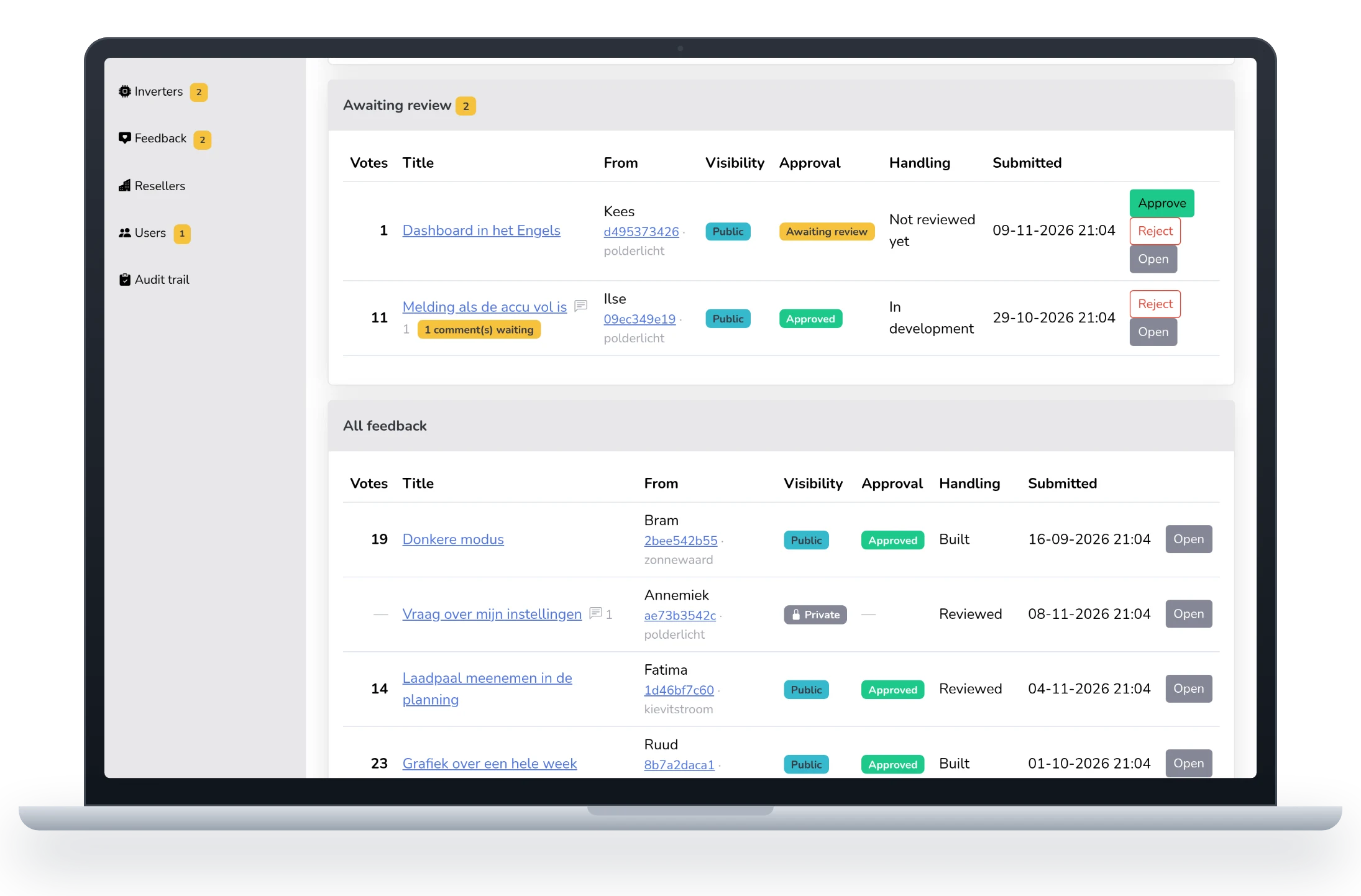
Your customers send in their ideas and questions from the app, and vote on those of others. You see what comes in from your installations and decide whether a public idea becomes visible to other users.
- Voting: see which ideas are asked for most
- Approve or reject what your customers post, before others see it
- Private questions stay between the customer and you, and you reply directly
- Notifications in the menu bar: an action that finished or failed, a comment waiting for you
Built to work with.
Audit trail
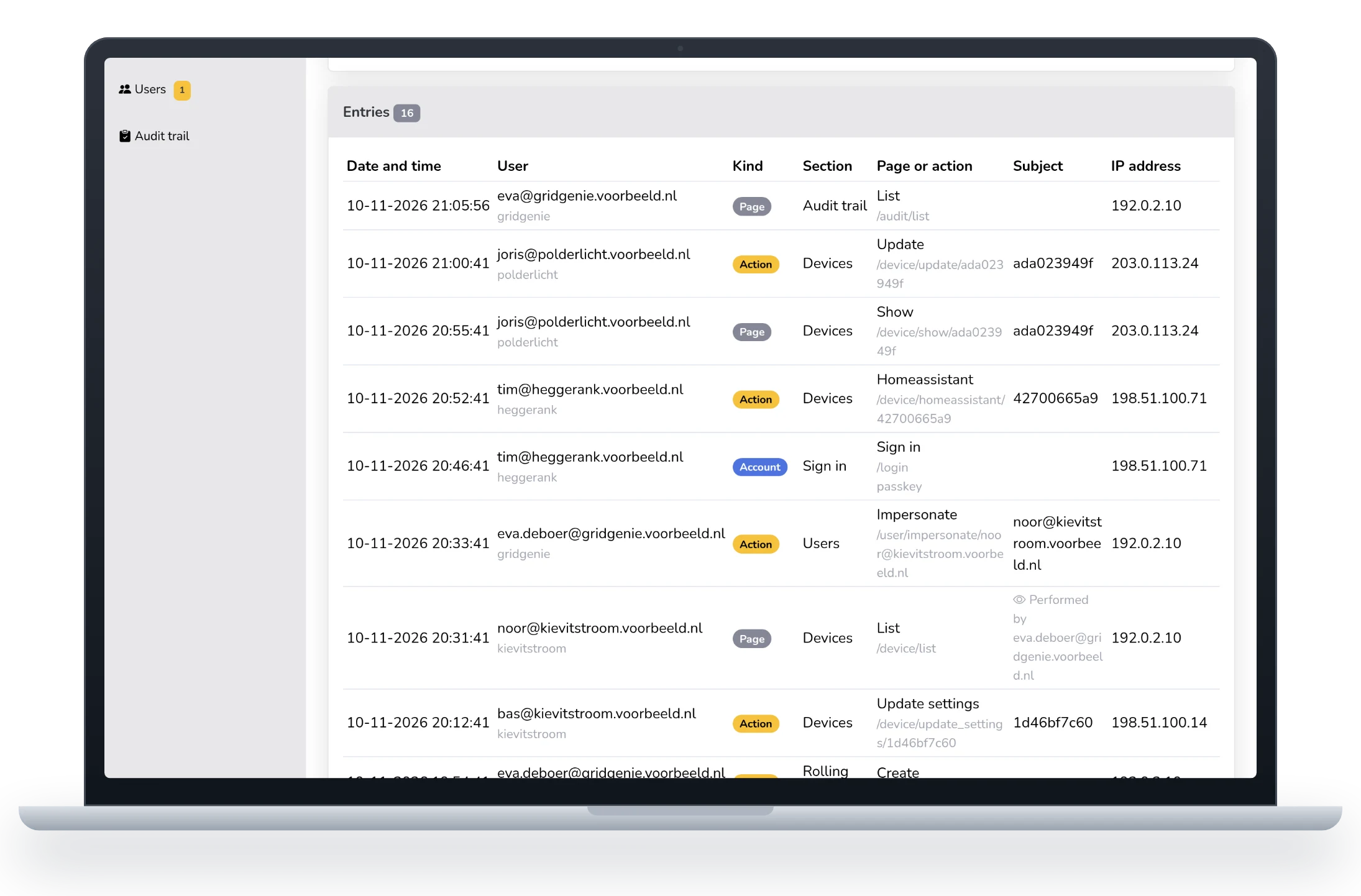
Who did what, when, and from which address. Every user sees their own history; as an administrator you see your team’s.
Two-step verification
Sign in with a code from an authenticator app or with a passkey. Accounts with a confirmed e-mail address; resetting a password only works with that second step.
Energy suppliers
Supplier surcharges are kept up to date centrally. Your customer picks their supplier in the app and calculates with the right tariffs straight away.
Support that looks along
If you have a question about the portal, our support team can view it the way you see it. No need to explain things with screenshots.
Follow actions
Restart, update or factory reset: you see that an action is running, and whether it succeeded.
Needs attention
A box that is offline, a battery that is not set up correctly or an inverter that does not respond: the portal puts it at the top.
Selling or installing GridGenie?
We are looking for installers, distributors and partners who want to help their customers get more out of their battery. Get in touch and we will show you the portal and see together how it fits your business.